AI Assistant Chat
Overview
The SyncNow AI Chat feature introduces intelligent assistance directly within the SyncNow platform to help users manage synchronization between systems such as Jira, ServiceNow, and Azure DevOps.
AI Chat provides two intelligent agents:
- 📘 Documentation Agent Assists with "how-to" questions related to using SyncNow (e.g., creating sync processes, configuring field mappings).
- ⚙️ Execution Agent Helps with technical inquiries such as sync process statuses, entity/field mappings, and script-based transformations.
💡 Chats are persistent: you can return to any conversation, search past chats, and pick up where you left off.
✨ Key Features
- Natural language interface to explore and operate SyncNow functionality.
- Smart routing to the appropriate AI agent based on your question.
- Knowledge Base-powered responses — answers to work system queries are served from a pre-built index for instant results.
- Searchable conversation history to revisit and resume previous chats.
- Predefined conversation starters to guide your queries.
- Rich media responses — diagrams, charts, and syntax-highlighted code in the chat window.
🧠 Available AI Agents
| Agent | Description |
|---|---|
| Documentation Agent | Answers "how-to" questions about SyncNow usage, setup, and configuration. |
| Execution Agent | Handles queries about real-time sync process execution, mappings, statuses, and script transforms. |
🗂 Suggested Prompts
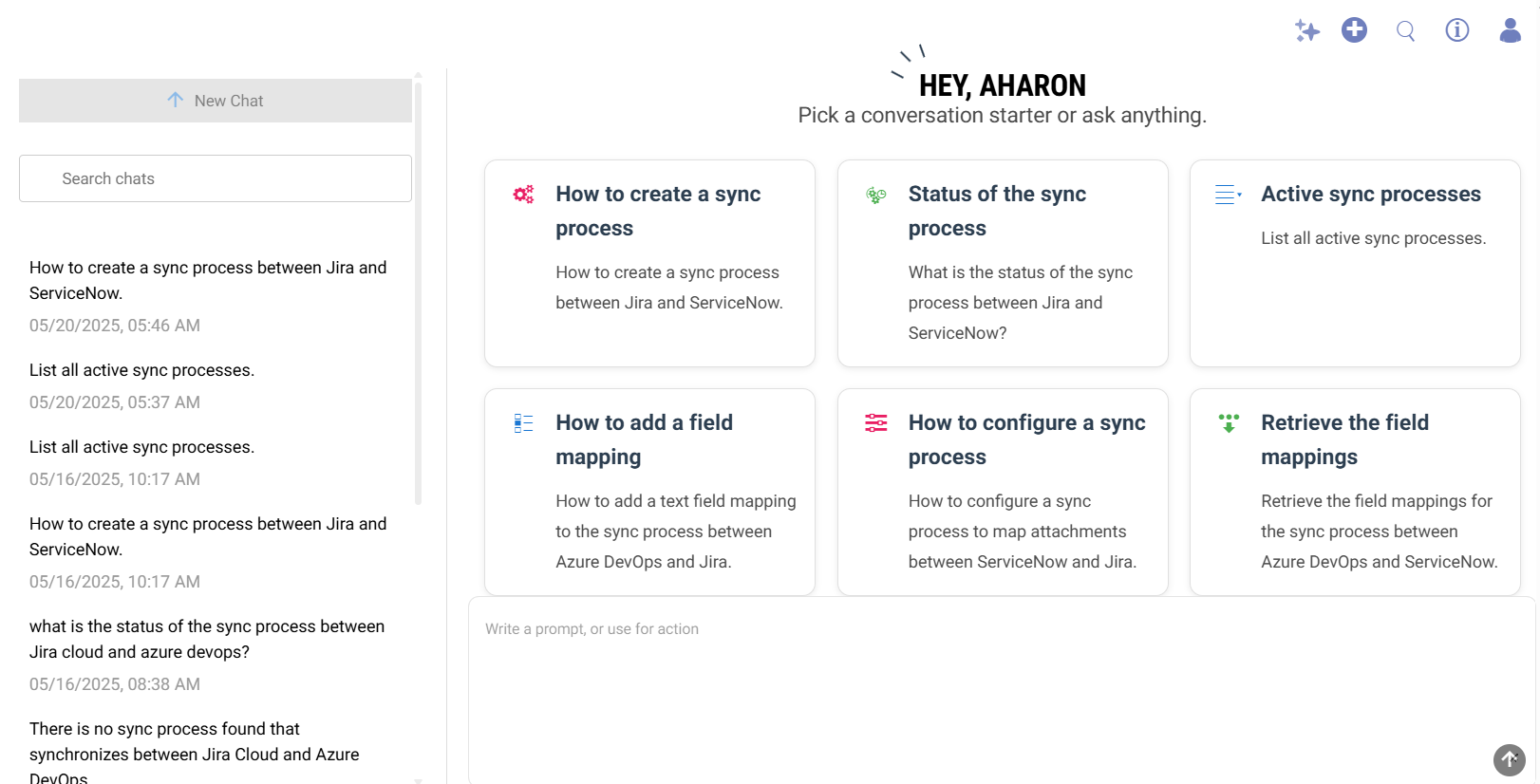
When you open SyncNow AI Chat, you'll see a set of predefined square buttons that serve as helpful starting points. Each button includes a title and a short description of what it will do.
🧩 Examples of Starter Prompts:
| Title | Description |
|---|---|
| How to create a sync process | Create a sync process between Jira and ServiceNow. |
| Status of the sync process | What is the status of the sync process between Jira and ServiceNow? |
| Active sync processes | List all active sync processes. |
| How to add a field mapping | Add a text field mapping to a sync process between Azure DevOps and Jira. |
| How to configure the sync process | Map attachments between ServiceNow and Jira in a sync process. |
| Retrieve the field mappings | Get field mappings for the sync process between Azure DevOps and ServiceNow. |
💬 Clicking any of these suggestions automatically sends the corresponding question to the AI agent.
🖼️ Chat Interface
The AI chat window features:
- A chat search bar to find and reopen conversations.
- A conversation list showing timestamps and topics.
- A grid of starter questions to guide common queries.
- Seamless agent handoff depending on the topic.
Chat flow and response types
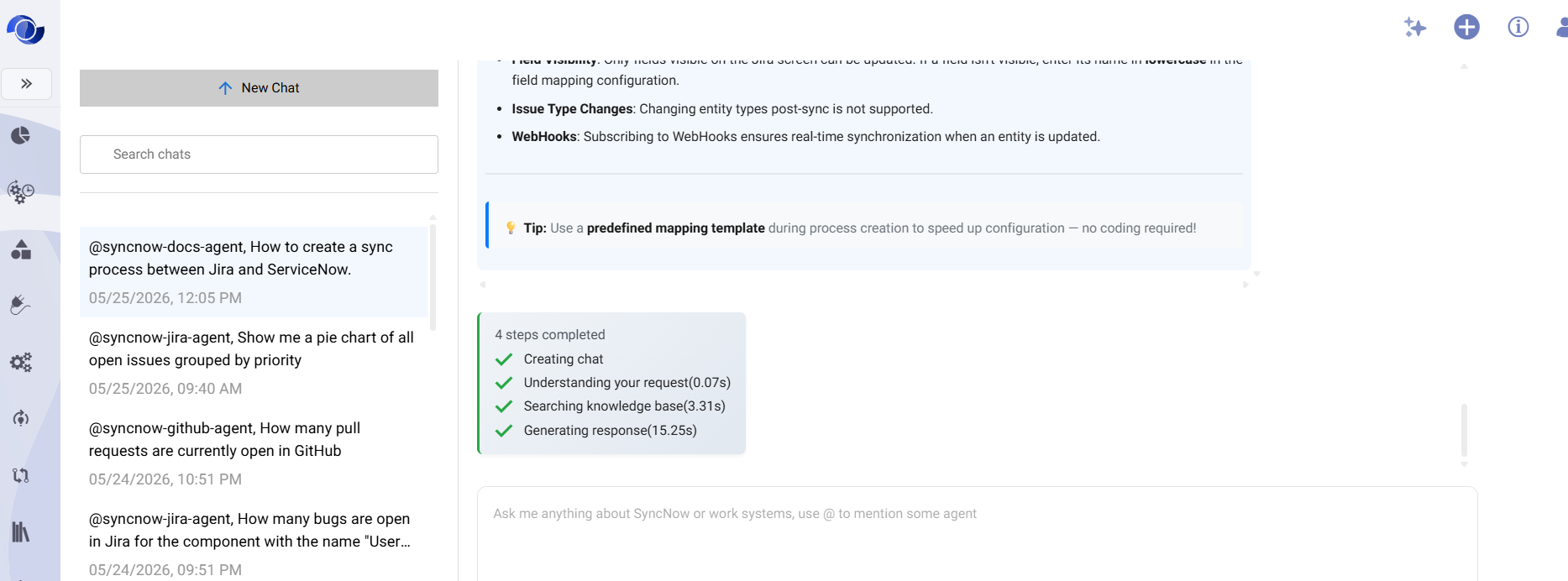
The AI routes each question through one of two paths:
| Query type | How it's answered |
|---|---|
| Documentation ("How do I...?") | The agent searches SyncNow's embedded documentation and generates an answer from the matching content. |
| Work system queries ("Show me bugs...") | The agent searches the AI Knowledge Base first — a pre-built, indexed snapshot of your work items — for an instant answer. If the Knowledge Base doesn't have sufficiently fresh data, the agent falls back to a live query of the source system. |
This means answers to common work-item questions are typically returned in under a second, while more complex or uncommon queries may take a few seconds longer.
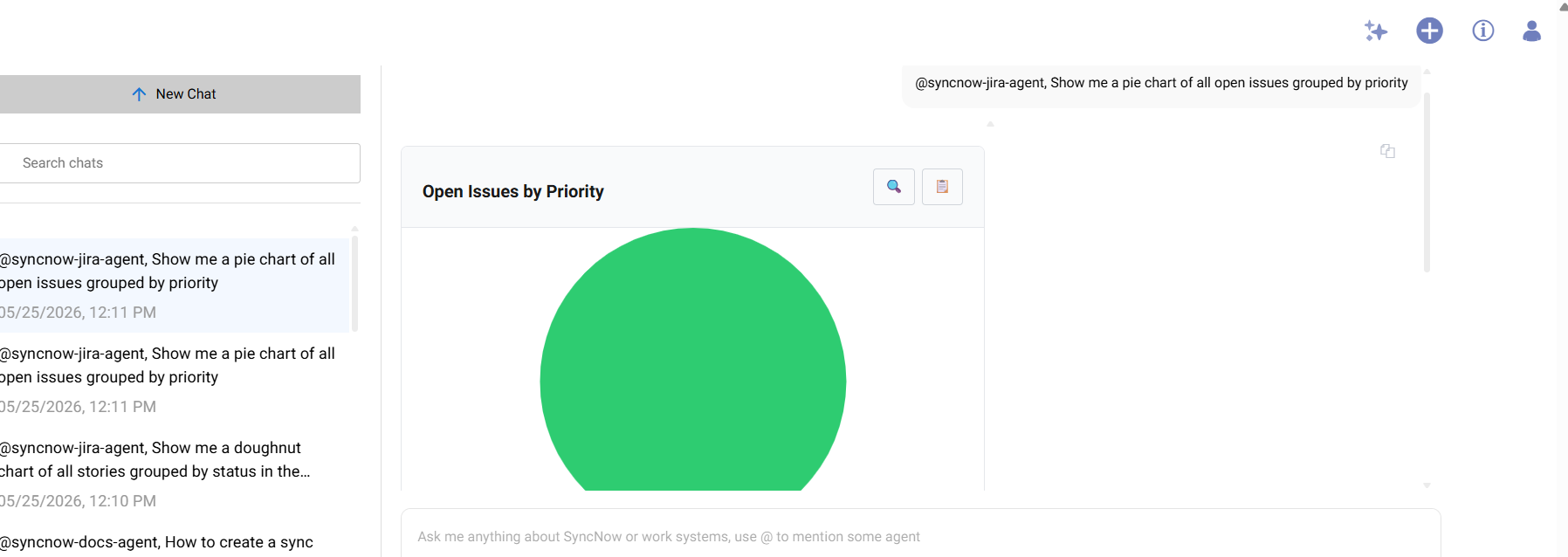
Responses can include charts, diagrams, and formatted tables. Use the copy or export buttons in the chat to save results.
📥 AI Knowledge Base Import
To ensure your AI agent has up-to-date, indexed data about your work systems, an administrator can configure and run AI Ingest Processes. These processes collect work items from Jira, Azure DevOps, Salesforce, and other connected systems and build the Knowledge Base that powers fast chat responses.
You can also trigger a Bulk Import to populate or refresh the index on demand — for example, when setting up AI for a new system or after a long pause.
See AI Knowledge Base → for full configuration instructions.
🚀 Getting Started
To start using SyncNow AI Chat:
- Navigate to the AI Chat panel via the left menu.
- Choose a starter prompt or enter your own question.
- Let the AI agent guide you through your workflow or configuration.
- Return to previous chats at any time using the search feature.
🛠️ Use Cases
- Create sync processes between systems like Jira and ServiceNow.
- Configure field or script mappings.
- Monitor status of existing sync processes.
- Debug sync errors and mapping issues using intelligent suggestions.
- Query work items across connected systems using natural language.
- View analytics such as time-in-status, velocity, and team workload.